


USER GUIDE FOR THE JACCS VIETNAM App (FOR CUSTOMERS)
18/03/2026 16:05:50STEP 1: DOWNLOAD AND INSTALLATION The application is available for free download at:
• For Android: [Google Play Link]
• For iPhone (iOS): [App Store Link]
STEP 2: KEY FEATURES Once logged in, you can immediately access the following utilities:
1. Promotion Search: Quickly view current loan products and exclusive offers.
2. Fast Loan Registration: Submit requests for consultation or apply for a loan directly via the app.
3. Register an online loan application: Complete your loan registration with a simplified and streamlined process.
4. Loan Management: Monitor your outstanding balance, payment schedule, and current debt.
5. Sign Electric Contract (E-contract): Sign contracts digitally and securely—no more waiting for paper documents.
6. Disbursement Notifications: Track the real-time status of funds transferred to your account.
STEP 3: DIRECT SUPPORT If you encounter any difficulties during use, please:
• Contact our consultants at the nearest JACCS Service Introduction Points (SIPs).
• View detailed instructions at: [Instructional Link]
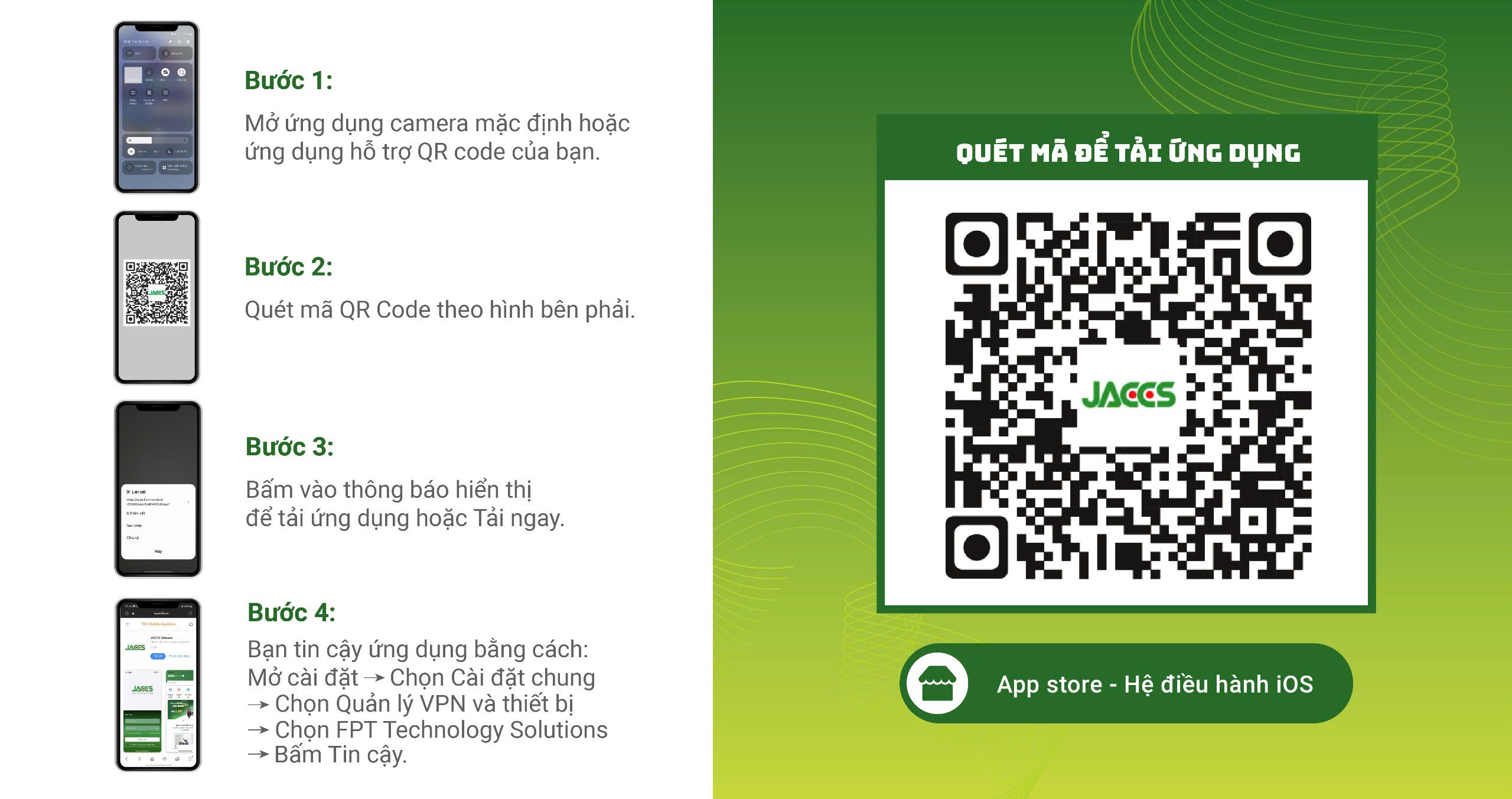
• Or the customer can scan the QR code below to view detailed usage instructions
Other News

 06/03/202611:19:55
 04/03/202616:31:07
15/01/202615:12:05
11/12/202514:14:21
04/03/202616:31:07
15/01/202615:12:05
11/12/202514:14:21
 25/11/202511:13:22